
Check your Chrome extensions

Paste the list of extensions installed in your browser. We compare each one with our daily record of the Chrome Web Store since 21 Aug 2023 and tell you which were removed, changed publisher, gained access to all websites or have gone years without an update.

Data as of 16 Nov 2026

1. Copy your list

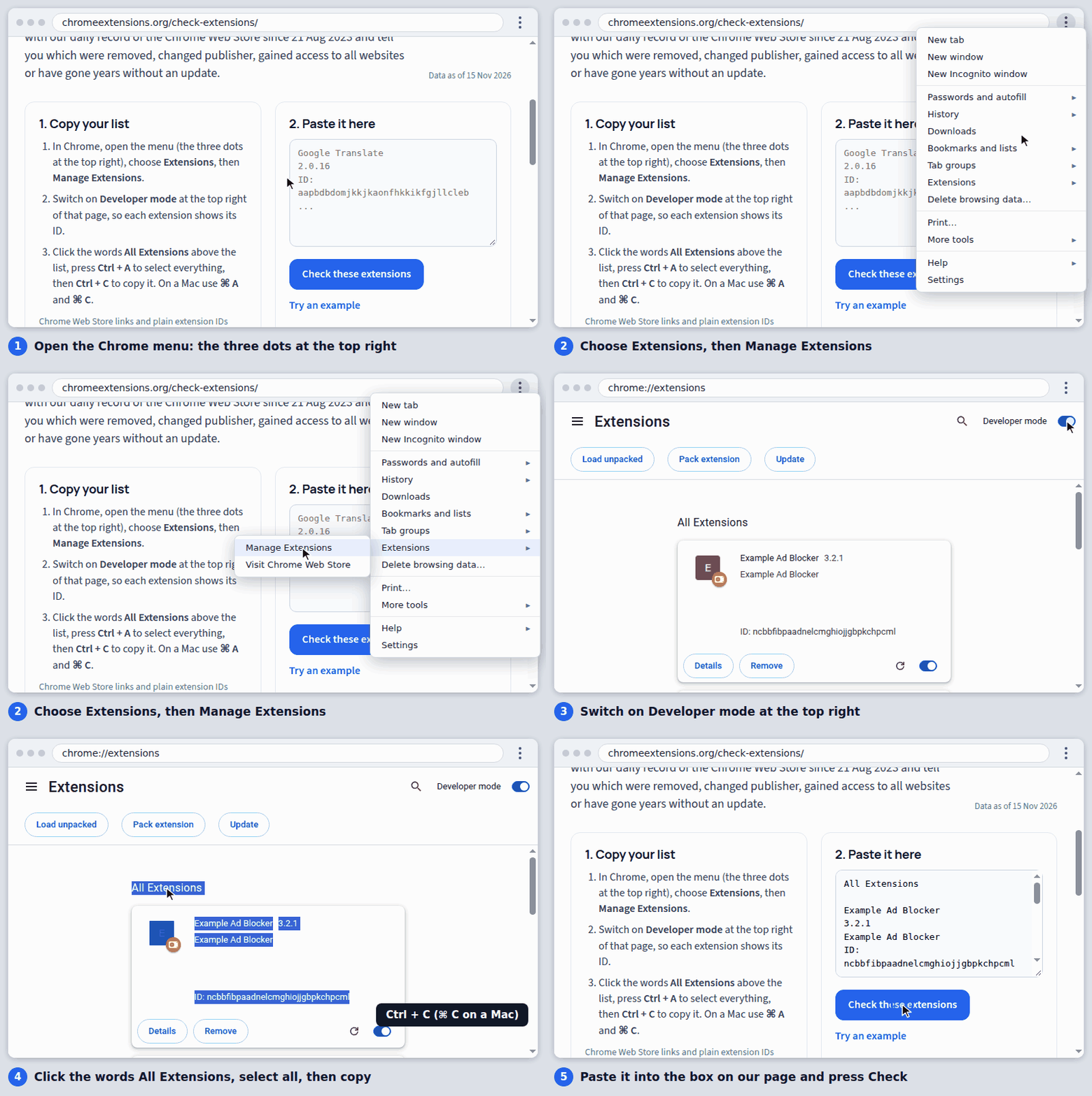
  1. In Chrome, open the menu (the three dots at the top right), choose Extensions, then Manage Extensions.
  2. Switch on Developer mode at the top right of that page, so each extension shows its ID.
  3. Click the words All Extensions above the list, press Ctrl + A to select everything, then Ctrl + C to copy it. On a Mac use ⌘ A and ⌘ C.

Chrome Web Store links and plain extension IDs work too, one per line or mixed with other text.
2. Paste it here

Animation: open the Chrome menu, choose Extensions then Manage Extensions, switch on Developer mode, click All Extensions, select everything and copy it, then paste it into the box on this page.
How to copy your list from Chrome. It takes about 20 seconds.
Private by design. The check runs in your browser. Your list is not sent to us: the page downloads small data files that each cover a few hundred extensions, and matches them on your computer. What the results mean. Each line is a dated fact from the store listing, not a verdict. An extension with nothing to report has not been examined for safety; it simply shows none of these changes in our record.