Preview OpenAPI/Swagger specs from Notion code blocks with a Swagger UI panel
Users
13
−1 in 30 days
Rating
0.0 / 5
unchanged in 30 days
Ratings
0
0 in 30 days
Store rank
#176K
#147K among extensions
Version
1.1.0
updated 2 Mar 2026
Users
monthly, 8 months
Latest, 17 Oct 2026:13 usersMove the mouse over the chart for any month
Ratings count
monthly, 8 months
Latest, 17 Oct 2026:0 ratingsMove the mouse over the chart for any month
The Chrome Web Store rounds user counts down to the leading digit, so the user line moves in steps. The ratings count is exact and is the better signal of real adoption.
About Swagger Preview for Notion
Swagger Preview for Notion
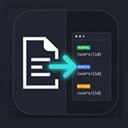
Instantly preview OpenAPI and Swagger specifications written in Notion code blocks — no copy-pasting into external tools required.
HOW IT WORKS
1. Open any Notion page that contains a code block with an OpenAPI/Swagger spec (YAML or JSON).
2. The extension automatically detects the spec and shows an "API Preview" button on the code block.
3. Click the button to open an interactive Swagger UI panel on the right side of the page.
FEATURES
• Automatic detection — Recognizes OpenAPI 3.x and Swagger 2.0 specs in both YAML and JSON format.
• Interactive Swagger UI — Browse endpoints, view schemas, and use "Try it out" to send live API requests.
• Resizable panel — Drag the edge to adjust the panel width, or switch to fullscreen.
• Popup controls — Rescan the page or close the panel from the toolbar popup.
• Lightweight — Runs only on notion.so pages. No data is collected or sent to any server.
PERMISSIONS
This extension requests minimal permissions:
• activeTab — Used only to check whether the current tab is a Notion page.
• Content scripts run exclusively on notion.so.
• No background processes. No host permissions. No data collection.
OPEN SOURCE
Source code is available on GitHub:
https://github.com/Ryoama/swaggereditorfornotion

 GoFullPage - Full Page Screen Capture11M users · 4.9 ★ · 84,461 ratings
 touchenex 확장8M users · 1.2 ★ · 6,329 ratings
 TrendAI™ Toolbar for Enterprise7M users · 1.2 ★ · 45 ratings
 React Developer Tools6M users · 3.5 ★ · 1,644 ratings
 SentinelOne6M users · 1.4 ★ · 190 ratings
 ColorZilla4M users · 4.7 ★ · 3,939 ratings
 Take Webpage Screenshots Entirely - FireShot3M users · 4.9 ★ · 52,679 ratings
 WhatFont3M users · 3.8 ★ · 2,056 ratings