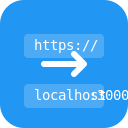
Instantly convert URLs to localhost with custom port selection for local development.
Users
9
−3 in 30 days
Rating
5.0 / 5
unchanged in 30 days
Ratings
2
0 in 30 days
Store rank
#200K
#167K among extensions
Version
1.0.0
updated 21 Jan 2025
Users
monthly, 2 years
Latest, 16 Oct 2026:9 usersMove the mouse over the chart for any month
Ratings count
monthly, 2 years
Latest, 16 Oct 2026:2 ratingsMove the mouse over the chart for any month
The Chrome Web Store rounds user counts down to the leading digit, so the user line moves in steps. The ratings count is exact and is the better signal of real adoption.
About LocalizeX
Transform production URLs to localhost instantly! The essential tool for web developers, making local development and testing easier than ever.
🚀 INSTANT URL CONVERSION
- Production to localhost conversion with one click
- Automatic https → http conversion
- Custom port configuration (default: 3000)
- Preserves all URL parameters and paths
- Instant copy to clipboard
💻 PERFECT FOR DEVELOPERS
- Frontend Developers
- Backend Engineers
- Full Stack Developers
- QA Engineers
- DevOps Teams
🛠️ KEY FEATURES
- Lightning-fast URL conversion
- Customizable port settings (1-65535)
- Clean, minimal interface
- Zero configuration needed
- Works offline
- No data collection
📝 COMMON USE CASES
- Local development environment setup
- API testing and debugging
- Microservices development
- Web application testing
- Cross-origin resource sharing (CORS) testing
- Development/Production switching
🎯 HOW TO USE
1. Click extension icon
2. Paste any URL
3. Set custom port (optional)
4. Copy localhost URL
5. Start local development!
🔍 SUPPORTS
- All website URLs
- API endpoints
- Development servers
- Microservices
- Web applications
- Single page applications (SPAs)
💡 PRO TIP: Pin the extension for quick access during development sessions!
💪 MADE FOR DEVELOPERS, BY DEVELOPERS
Streamline your development workflow with LocalScope - the missing tool in every developer's toolkit.
#webdev #localhost #development #testing #debugging

 GoFullPage - Full Page Screen Capture11M users · 4.9 ★ · 84,440 ratings
 touchenex 확장8M users · 1.2 ★ · 6,328 ratings
 TrendAI™ Toolbar for Enterprise7M users · 1.2 ★ · 45 ratings
 SentinelOne6M users · 1.4 ★ · 190 ratings
 React Developer Tools5M users · 3.5 ★ · 1,644 ratings
 ColorZilla4M users · 4.7 ★ · 3,939 ratings
 Take Webpage Screenshots Entirely - FireShot3M users · 4.9 ★ · 52,665 ratings
 WhatFont3M users · 3.8 ★ · 2,056 ratings