Extract the theme colors from the current website and easily check their usage ratio and color codes.
Users
2,000
0 in 30 days
Rating
3.7 / 5
unchanged in 30 days
Ratings
6
0 in 30 days
Store rank
#22K
#18K among extensions
Version
2.3.1
updated 9 Oct 2026
Users
monthly, 3 years
Latest, 15 Oct 2026:2,000 usersMove the mouse over the chart for any month
Ratings count
monthly, 3 years
Latest, 15 Oct 2026:6 ratingsMove the mouse over the chart for any month
The Chrome Web Store rounds user counts down to the leading digit, so the user line moves in steps. The ratings count is exact and is the better signal of real adoption.
About GET WEB SITE THEME COLOR
■ Latest Update (2026/10/08) ✨
・Updated dependencies as part of regular security maintenance.
■ What this extension can do 🚀
・ Automatically extracts the theme colors used on the currently active website.
・ Lists both background and text colors side by side.
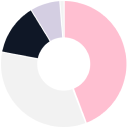
・ Visualizes color usage with a clean doughnut chart (background colors use area, text colors use character count).
・ Click any slice of the chart to copy its color code instantly 🎨📋
・ Extracted colors can now be viewed in multiple formats: RGB, HEX, and HSL.
■ Recommended for... 👀
・Anyone tired of opening DevTools just to check color codes.
・Designers and developers who want to grasp a site's main/sub colors at a glance.
・People curious about the overall color palette of a website.
・For those who want to use CSS color codes directly in their implementation.
■ Notes ⚠️
・After installing or updating the extension, refresh any tabs that were already open.
・Restricted pages (Chrome Web Store, `chrome://` URLs, etc.) do not allow extensions to run.
・To analyze local files (`file://`), enable “Allow access to file URLs” for this extension on `chrome://extensions` and reload the page.
・For incognito windows, turn on “Allow in incognito” in the extension details before use.
・Colors embedded in images are not detected—only HTML/CSS-defined colors are supported.
Make your workflow a little more efficient and a lot more colorful.
Quickly discover the colors behind any website you visit! 🌈
Growth
Window
Users
Change
Ratings
Rating
7 days
0
+0.0%
0
0.00
30 days
0
+0.0%
0
0.00
6 months
0
+0.0%
+1
+0.27
1 year
0
+0.0%
+1
+0.27
Chrome Web Store search rankings
Where GET WEB SITE THEME COLOR appears when people search the store, with the 30 day change

 Stylish - Custom themes for any website2M users · 4.5 ★ · 22,288 ratings
 ColorZilla4M users · 4.7 ★ · 3,939 ratings
 Pop up blocker for Chrome™ - Poper Blocker2M users · 4.5 ★ · 81,642 ratings
 Mobile simulator - responsive testing tool1M users · 4.9 ★ · 5,241 ratings
 BlockSite Block Websites & Stay Focused1M users · 4.5 ★ · 32,432 ratings
 Eye Dropper1M users · 3.7 ★ · 3,024 ratings
 Similarweb - Website Traffic, AI Traffic & SEO Checker1M users · 4.6 ★ · 3,804 ratings
 ColorPick Eyedropper1M users · 3.9 ★ · 1,237 ratings