Identify potential accessibility issues on websites, WCAG 2.0, 2.1, and 2.2 standards. Developed by Flat Electronics Canada Limited.
Users
10
0 in 30 days
Rating
0.0 / 5
unchanged in 30 days
Ratings
0
0 in 30 days
Store rank
#195K
#163K among extensions
Version
1.0.0
updated 29 Jan 2026
Users
monthly, 9 months
Latest, 15 Oct 2026:10 usersMove the mouse over the chart for any month
Ratings count
monthly, 9 months
Latest, 15 Oct 2026:0 ratingsMove the mouse over the chart for any month
The Chrome Web Store rounds user counts down to the leading digit, so the user line moves in steps. The ratings count is exact and is the better signal of real adoption.
About Bumi - Accessibility Assessment Tool
Bumi - Accessibility Assessment Tool
Instantly analyze any webpage for accessibility issues against WCAG 2.0, 2.1, and 2.2 standards. Bumi helps developers, designers, QA testers, content creators, and accessibility professionals identify potential barriers that may affect users with disabilities.
Whether you're ensuring compliance with accessibility regulations like AODA (Ontario), the Accessible Canada Act, ADA (United States), or the European Accessibility Act (EAA), Bumi provides the insights you need to build a more inclusive web.
KEY FEATURES
◆ One-Click Scanning
Analyze the current webpage with a single click. No complicated setup required. Just click the Bumi icon and get instant results.
◆ WCAG Version Selection
Choose which WCAG version to test against:
• WCAG 2.0 - The foundational standard
• WCAG 2.1 - Adds mobile and cognitive accessibility criteria
• WCAG 2.2 - The latest version with enhanced requirements
◆ Conformance Level Options
Select your target conformance level:
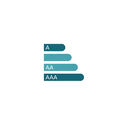
• Level A - Minimum accessibility requirements
• Level AA - Recommended standard (required for most regulations)
• Level AAA - Highest level of accessibility
◆ Visual Issue Highlighting
Issues are highlighted directly on the webpage, making it easy to locate and understand each problem. Color-coded indicators show severity levels from critical to minor.
◆ Detailed Fix Recommendations
Each issue includes specific guidance on how to resolve it, with references to the relevant WCAG success criteria and techniques.
◆ Bilingual Interface
Switch between English and French interfaces to work in your preferred language.
WHAT WE CHECK
Bumi analyzes webpages for a comprehensive range of accessibility issues:
Images & Media
• Missing alternative text for images
• Inadequate or redundant alt text
• Missing captions for video content
• Audio content without transcripts
Color & Contrast
• Insufficient color contrast ratios
• Information conveyed by color alone
• Focus indicator visibility
Structure & Navigation
• Improper heading hierarchy (skipped heading levels)
• Missing document language declaration
• Keyboard navigation issues
• Focus order problems
• Missing skip navigation links
Forms & Inputs
• Missing or improperly associated form labels
• Missing fieldset and legend for form groups
• Unclear error messages
• Missing required field indicators
Links & Buttons
• Empty or non-descriptive link text
• Links that open in new windows without warning
• Buttons without accessible names
Tables
• Missing table headers
• Complex tables without proper markup
• Missing table captions or summaries
ARIA & Semantics
• Incorrect ARIA attribute usage
• Missing ARIA labels for interactive elements
• Improper landmark regions
PRIVACY-FOCUSED DESIGN
Your privacy is our priority. Bumi is designed with a zero-data-collection approach:
✓ No browsing history collected
✓ No page content transmitted to external servers
✓ No user tracking across websites
✓ No analytics or telemetry
✓ All analysis performed locally in your browser
✓ Preferences stored only in your browser's local storage
The extension only accesses the active tab when you explicitly click the "Scan" button. Your data never leaves your device.
WHO IS BUMI FOR?
◆ Web Developers
Catch accessibility issues during development before they reach production. Integrate accessibility testing into your workflow.
◆ QA Testers
Add accessibility validation to your testing checklist. Document issues with clear severity levels and remediation guidance.
◆ Designers
Verify that your designs meet color contrast requirements and support users with visual impairments.
◆ Content Creators
Ensure your content is accessible to all users, including those using screen readers and assistive technologies.
◆ Accessibility Consultants
Perform quick assessments for clients and identify areas requiring deeper manual testing.
◆ Organizations
Meet regulatory requirements including AODA, ADA, Section 508, and the European Accessibility Act.
ACCESSIBILITY STANDARDS SUPPORTED
Bumi aligns with internationally recognized accessibility standards:
• WCAG 2.0 (2008) - Web Content Accessibility Guidelines
• WCAG 2.1 (2018) - Enhanced mobile and cognitive accessibility
• WCAG 2.2 (2023) - Latest accessibility requirements
• EN 301 549 - European ICT accessibility standard
• Section 508 - U.S. federal accessibility requirements
BROWSER COMPATIBILITY
Bumi works on all Chromium-based browsers:
• Google Chrome (version 88 or later)
• Microsoft Edge (version 88 or later)
ABOUT BUMI
Bumi is developed by Flat Electronics Canada Limited, based in Toronto, Canada. We are committed to making the web more accessible for everyone.
Website: bumi.ca
Support: support@bumi.ca
Address: 11-2967 Dundas St W, Toronto, ON M6P 1Z2, Canada
IMPORTANT NOTE
This tool assists in identifying potential accessibility issues but does not guarantee full WCAG conformance. Automated testing can detect many common issues, but comprehensive accessibility assessment requires manual testing and review by accessibility professionals. We recommend using Bumi as part of a broader accessibility testing strategy.
Thank you for choosing Bumi. Together, we can build a more accessible web.

 360 Internet Protection20M users · 4.4 ★ · 5,565 ratings
 Read&Write for Google Chrome™19M users · 2.4 ★ · 1,594 ratings
 Volume Master7M users · 4.8 ★ · 49,414 ratings
 Dark Reader7M users · 4.3 ★ · 13,244 ratings
 Secure Exam Proctor7M users · 2.2 ★ · 718 ratings
 Screenshot reader™7M users · 2.5 ★ · 89 ratings
 Read Aloud: A Text to Speech Voice Reader6M users · 3.8 ★ · 3,642 ratings
 OrbitNote6M users · 1.8 ★ · 137 ratings