Latest, 15 Oct 2026:10,000 usersMove the mouse over the chart for any month
Ratings count
monthly, 3 years
Latest, 15 Oct 2026:206 ratingsMove the mouse over the chart for any month
The Chrome Web Store rounds user counts down to the leading digit, so the user line moves in steps. The ratings count is exact and is the better signal of real adoption.
About Bookmark Search
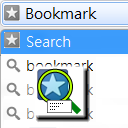
Search for bookmarks and quickly navigate to them using the omnibox (the address bar) easily!
Type the keyword "bm", which is shortened from the word "bookmark", tab/space and start typing!
It can support JavaScript bookmarklets by enabling the corresponding option in the options page.
This extension is open-sourced, available at GitHub: https://github.com/alvinhochun/chrome-bookmark-search
Changelog
========
== 2.0.0 (2025-03-03) ==
- Migrate to Manifest V3, since Manifest V2 is being obsoleted. Otherwise, the Chrome Web Store would have disabled and removed this extension. (Thanks sfllaw for the patch.)
- Remove support for JavaScript bookmarklets, because Chrome and other browsers enforce Content Security Policy on bookmarklets. (Thanks sfllaw for the patch.)
- Fix the built-in search so it doesn't break on bookmark folders. (Thanks sfllaw for the patch.)
- Modify small icon to make it look better in dark mode.
== 1.4.3 (2018-08-19) ==
- Fix the bookmark page search link on more recent Chrome versions. (Thanks nbegley for the patch.)
- Fix a typo. (Thanks nbegley for the patch.)
== 1.4.2.1 (2013-08-09) ==
- Pressing arrow keys or switching windows could cause automatic matches (first match item) to be forgotten. Some code has been modified to prevent this from happening. (Thanks northtea for pointing it out)
== 1.4.2 (2013-07-11) ==
- JavaScript bookmarklets now requires a lesser permission. If you had enabled JavaScript bookmarklets before, you'll need to re-enable it.
- You may now choose where bookmarks are opened with the keyboard. The option is available in the options page. With this option, you can open bookmarks on a new foreground tab by pressing Alt + Enter, or on a new background tab by clicking on an item with the middle mouse button.
- Fixed a minor bug which sometimes causes the wrong page to be opened.
== 1.4.1 (2013-03-07) ==
- Made the searching algorithm selection option more clearer.
- Added a page to test different searching algorithm.
== 1.4 (2013-02-27) ==
- Implemented a new searching and sorting algorithm which should give better and more useful results in general.
== 1.3.4 (2013-02-20) ==
- Removed an optional permission which is no longer needed.
- Changed the way of informing version updated.
== 1.3.3 (2013-02-19) ==
- Changed the bookmark manager's page back to chrome://bookmarks/ (which I forgot to change in 1.3.2).
- Changed the way of invoking JavaScript bookmarklet due to some security concern.
== 1.3.2 (2013-02-19) ==
- Slightly improved the options page.
- The extension will now ask you to enable JavaScript bookmarklet support when attempt to use one.
- Minor code changes produces slight unnoticeable performance increase.
- Chrome will now unload this extension when not being used, so it will not consume any system resources when idle.
== 1.3 (2012-07-12) ==
- (internal) Switched to manifest version 2.
- The persist permission to "your data on all websites" and "your tabs and browsing activity" is removed. Instead an option is added for enabling support for JavaScript bookmarklet. The related permissions will be requested only when the option is enabled.
- A bug that prevents automatically navigating to the only match when the option "Automatically selects full match on name" is disabled is fixed.
== 1.2.2 (2011-09-14) ==
- Javascript bookmarks had never worked before due to lack of permission. This version should have fixed it.
== 1.2.1 (2011-09-13) ==
- Due to my carelessness, a full match will pops out both the selected page and the bookmark search page. This is likely fixed.
- Automatically selects if there is only one search result.
- Allow setting the maximum items to show.
- The option page should work fine.
- Some minor improvements.
== 1.2 (2011-09-12) ==
- Bookmark Search can now automatically select the full match. (see Options)
- Display is improved. It now shows both name and address.
- Some minor improvements.
- The icons are updated, although they are still...
== 1.1 (2011-03-05) ==
- Changed the keyword from "bookmark" to "bm"!
== 1.0 (2011-02-28) ==
- First release!
Growth
Window
Users
Change
Ratings
Rating
7 days
0
+0.0%
0
−0.11
30 days
0
+0.0%
0
−0.11
6 months
−10K
−50.0%
−1
−0.12
1 year
−10K
−50.0%
+1
−0.11
Chrome Web Store search rankings
Where Bookmark Search appears when people search the store, with the 30 day change

 vidIQ Vision for YouTube4M users · 4.8 ★ · 11,336 ratings
 GPTZero: AI Detection & Writing Replay500K users · 4.7 ★ · 737 ratings
 Adobe Acrobat: PDF edit, convert, sign tools344M users · 4.4 ★ · 64,022 ratings
 Application Launcher For Drive (by Google)99M users · 2.6 ★ · 2,180 ratings
 AdBlock — block ads across the web65M users · 3.9 ★ · 290,290 ratings
 Chrome Remote Desktop41M users · 3.8 ★ · 2,967 ratings
 Adblock Plus - free ad blocker40M users · 3.9 ★ · 188,117 ratings
 Microsoft Single Sign On37M users · 1.3 ★ · 1,001 ratings